6/15/06


6/14/06
Check disk under windows XP
Also try running chdsk on your harddisk, assuming you only have a c: drive, do this:
click start, run, type in cmd, that brings up a dos window,
type in: chkdsk c: /i /c [there is a space between chkdsk and c: and between c: and /i and between /i and /c ]
hit enter, see if any errors are reported, you will need to add one thing to that to fix them, like this:
chkdsk c: /f /i /c
the /f will fix errors, but don't do it until you are sure you need to, if you have errors in certain places and they get fixed your system might not run.
6/13/06
Use Chinese input under English enviroment.
First look at this one to set up the locales and scim correctly. In my case most of the time I use English as my default system language. When I want to input Chinese, I use the console to start the program.
In a console do the following:
> export LC_CTYPE=zh_CN;
> export XMODIFIERS=@im=SCIM;
> scim -d
> soffice (I want to start openoffice here)
Then in the openoffice, should be able to activate the Chinese input method.
6/12/06
Change fonts.
Refer to this mini-howto
Also changed the resolution of screen. Now the setting is: 1280x1024 @75Hz.
6/10/06
Setup Chinese Input for debian Sarge.
This will demonstrate my process to setup the Chinese input.
1. Setup the Xwindow system correctly.
2. Generate locale > dpkg-reconfigure locales
(if locales is not installed yet, use: apt-get install locales)
Select the following locales:
en_US.ISO-8859-1
en_US.UTF-8
zh_CN.GB2312
zh_CN.UTF-8
You can check what locales are installed in your computer by: locale -a
3. Install the required fonts.
> apt-get install ttf-arphic-bkai00mp ttf-arphic-gbsn00lp ttf-arphic-bsmi00lp
ttf-arphic-gkai00mp
4. Install scim input method > apt-get install scim scim-tables-zh5. Make scim startup once xwindows is activate.
When Debian start the X windows, it will execute the shell script in /etc/X11/Xsession.d/. We can set up a script file and save it there. In this script file, we will define the variable "XMODIFIERS" and execute "scim" which is installed in the previous step. We call this script file as "95xinput" (save it in /etc/X11/Xsession.d/), and it contains the following:
case "$LANG" in
zh_TW*)
/usr/bin/scim -d
XMODIFIERS="@im=SCIM"
;;
zh_HK*)
/usr/bin/scim -d
XMODIFIERS="@im=SCIM"
;;
zh_CN*)
/usr/bin/scim -d
XMODIFIERS="@im=SCIM"
;;
esac
export XMODIFIERS
The above script will start "scim" when you login using Chinese as the system language.
6. If you are using GDM, you can choose "Chinese" as the system language. But if you are using xdm or kdm where you have no options to choose system language, you may need to add
" export LANG=zh_CN.UTF-8"
at the beginning of the above file (95input). This will choose the system language for you.
If you start the X window from a console, before you type in "startx" to start the X window system, you may want to "export LANG=zh_CN.UTF-8" first. Or you can put it in your ~/.bash_profile. Now scim should be activated automatically, and should be able to use. Part of this help comes from here
Here are some other good references.
Good poster http://www.linuxquestions.org/questions/showthread.php?t=262442
another one
This is a very sysmatic one.
and this
6/6/06
Installing OpenOffice.org 2.0 for Debian
When you download openoffice, usually you will get bunch of rpm files. Then how to install these files in a debian system? Here is a very nice article which will guide you to go through this process.
Basically use the following command to finish the installation (this is better than the above link expplained).
alien -k *.rpm(this will generate the deb files)
dpkg -i --force-overwrite *.deb (--force-overwrite helps when files belong to different packages).
The above command will install the software. Then go to "desktop-integration" folder to install the start menue.
dpkg -i *.deb
6/4/06
Use different printers to print.
lp -d printername
Use the following command to check the status of the printer "printername"
lpq -P printername
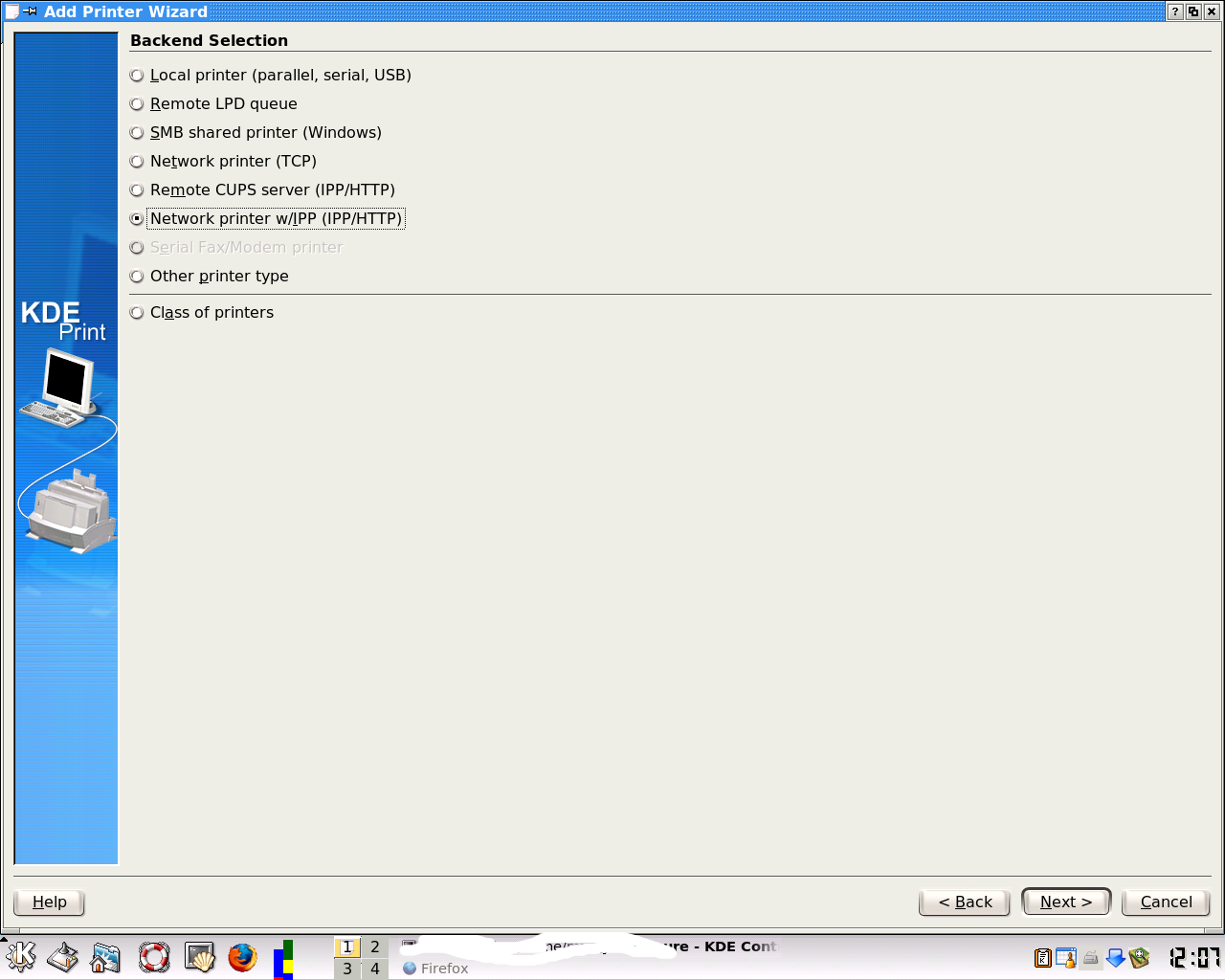
Add network printer.
5/29/06
scim and emacs shortcuts confliction.
Scim usually use C_space to activate input method, and emacs uses C-space to set mark. This confliction can be solved by changing the shortcut for scim to C_shift_space by using the scim control panel.
5/26/06


5/25/06
use cxoffice to run MS word and Endnote.
Need to start Endnote first, then start the MS word. Otherwise the process will die.
5/22/06
Change the default language of gimp.

The system's default language is Chinese. So when I start Gimp from the menue, Gimp automatically use system default language as its default. But I want to change the default language for Gimp to English. This can be done by "Edit Menue". Click the "start" menue(the K menue), then right click to select "edit menue". Then choose gimp to edit. Here is the picture.
In the command item, add
LANG=en_US
and save the config. Now if you start gimp again, it will use english as the default language.
5/21/06
Make the research schedule as detail as possible.
I failed to follow the time schedule. The reason for that is I forgot to put details there. When I did the experiments, I found that I forgot to take the treatment time into account. That means I planned to finish in 2 hours, but actually it need four hours, which included 2 hours for treatment before the real experiments. This should be avoided.
Change eps file to fig file.
Xfig is a very nice software. It can edit the vector graph. For me, sometimes I plot curves to eps files, then I want to do some simple modification. It is easy. I just convert the eps file to fig file, then use Xfig to do the modification. After that, if I want I can export to eps again. Then you can use it in your Latex file.
pstoedit -f fig filename.eps > filename.fig
Linux software upgrade.
I lost some data from my previous wiki page. The following suggestions are very general other than specifically for mediawik.
As with all MediaWiki upgrades, the basic premise is the same:
- Check the requirements
- Read the release notes
- Back up existing files and the database
- Unpack the new files
- Run the update script to check the database
- Test the update
MySQL 5.0 install and management.
Can be installed by apt-get. After that need to change the root's password by following:
mysqladmin -u root password 'password'
Then add users inside mysql.
mysql> GRANT USAGE ON *.*
-> to Dave@localhost identified
-> by "password";
The most common use of mysqldump is probably for making a backup of an entire database:
shell> mysqldump --opt db_name > backup-file.sql You can read the dump file back into the server like this:
shell> mysql db_name < backup-file.sql
5/20/06
5/19/06
Openoffice and MS office problems.
When I highled the background using oowriter and save the file as .doc file, I cannot get rid of the background highlight using MS office.
5/18/06
Mutt can not open the mbox.
When I changed the default language to Chinese, then I have such problem. Saying "segment fault" or “段错误”. Fix this problems by adding at the end of .bashrc the following:
export LANG=en_US.ISO-8859-1
export LC_ALL=en_US.ISO-8859-1
This will change the language for the konsole to English. Now use mutt again, the problem disappeared.
Subscribe to:
Posts (Atom)